

Getting help and sending feedback
Help, the question mark at the top right of every screen, beside the theme switch, opens everything for getting help and telling us things.
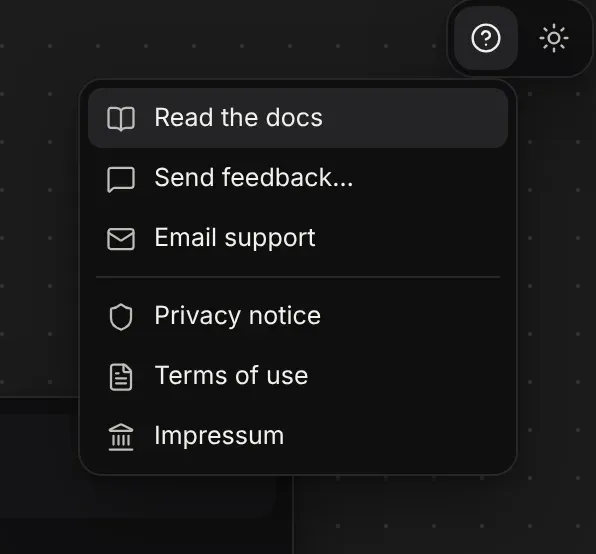
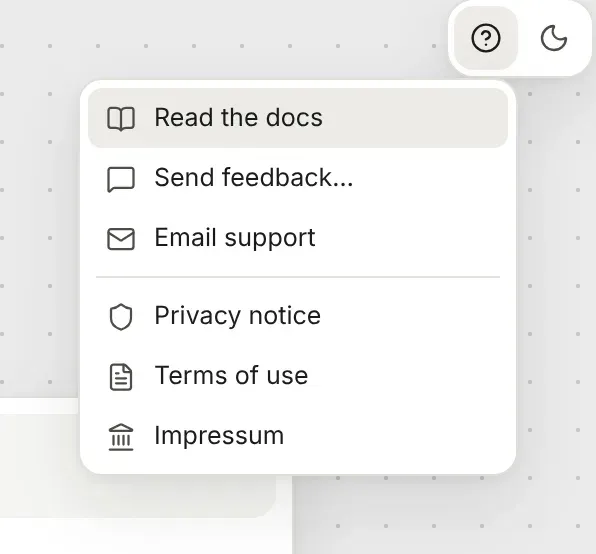
| Item | What it does |
|---|---|
| Read the docs | Opens these docs in a new tab. |
| Send feedback… | Opens a short form. Write anything: a bug, an idea, a question. |
| Email support | Starts an email to support@flozu.app. |
| Privacy notice | What Flozu keeps about you, and why. |
| Terms of use | The rules for using Flozu during the beta. |
| Impressum | Who runs Flozu, as German law asks. |
Sending feedback
Section titled “Sending feedback”Write what’s on your mind and press Send. Every message is read. The form also says which screen you sent it from, such as the editor or the Maps page, but never the map you had open.
If you’re signed in, tick Reply to me at your address to get an answer by email. Your address is kept with your feedback only when you tick it, and your feedback goes when your account does. Without ticking it, your feedback is kept with your account but nobody writes back.
In the Mac app, and anywhere Flozu runs without its online service, Send feedback starts an email to support instead.
When something breaks
Section titled “When something breaks”If Flozu stops, it shows a page that offers to download the map you had open, then reload. It also tells us what went wrong, without anything from your map or who you are, so it can be fixed even if you don’t write in. If it keeps happening, use Send feedback or email support and say what you were doing.