

Templates
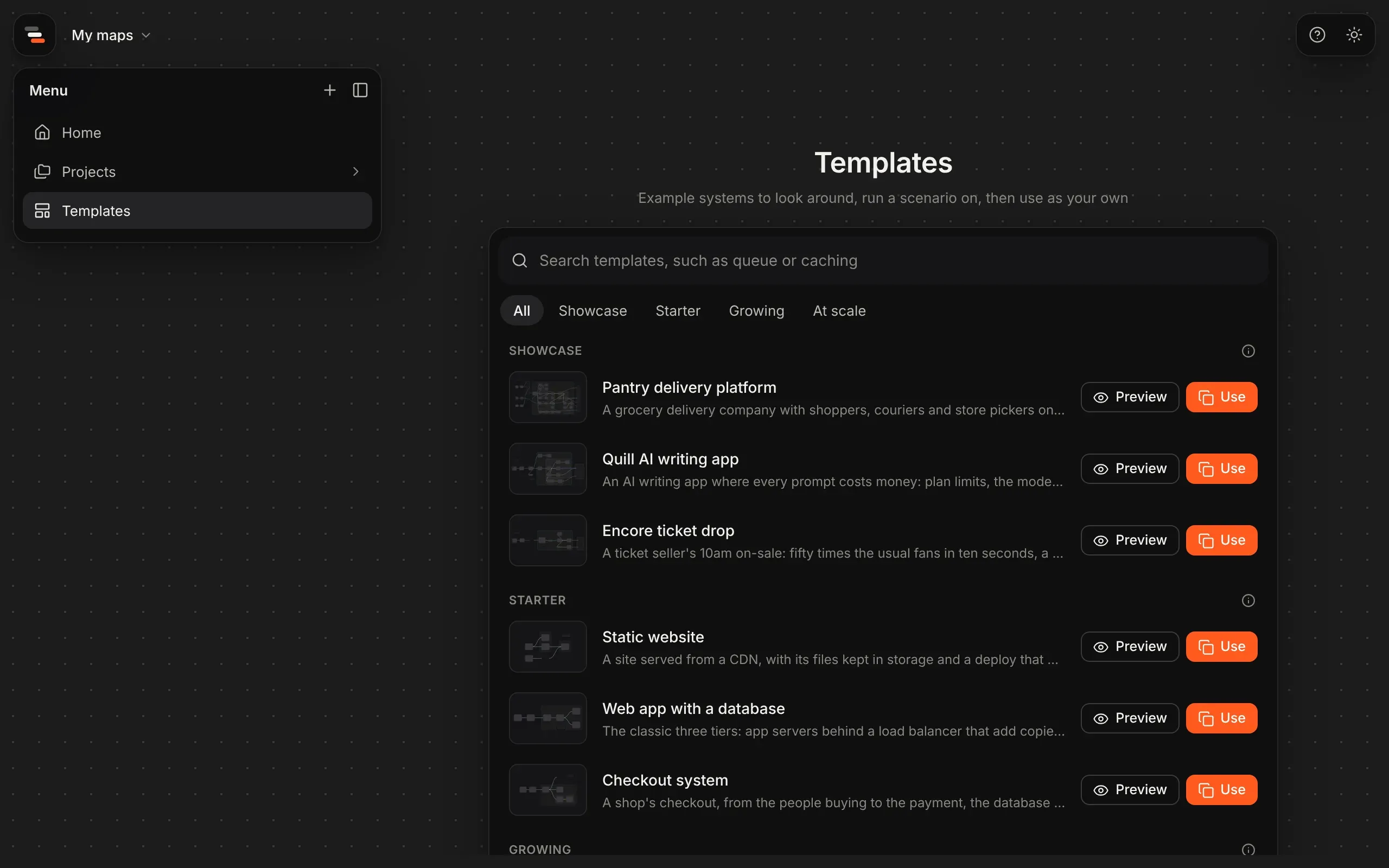
The quickest way to learn Flozu, and often the quickest way to map your own system, is to start from one that already works. The template library holds example systems with their numbers filled in, so you can press play and try a scenario straight away. Open it from Templates in the menu down the left, or Templates in the box on home.
What’s in it
Section titled “What’s in it”Templates come in four levels:
| Level | Templates |
|---|---|
| Showcase | Pantry delivery platform, Quill AI writing app, Encore ticket drop |
| Starter | Static website, Web app with a database, Checkout system |
| Growing | Photo uploads with a queue, AI assistant, Event analytics pipeline, Inside a payment service |
| At scale | Video streaming, Ride-hailing dispatch, Social timeline, Shop in two regions |
Each row shows a drawing of the template, what it is and how many parts it has. Search templates finds them by name, what they’re about or what they show, such as auto-scaling, multi-region, caching or queues, and a level narrows the list. The ⓘ beside a level says what it holds.
Some at-scale templates are loosely based on a well-known company’s public engineering writing, and their row says whose. They’re all simplified, and their numbers are made up so scenarios have something to show.
The showcase
Section titled “The showcase”The three showcase maps are whole systems to open first, each using everything Flozu does:
- Pantry delivery platform: groceries to the door, with shoppers, couriers and store pickers online at once, and five teams’ systems in 42 parts.
- Quill AI writing app: an editor that drafts and checks with Claude, whose story is about limits.
- Encore ticket drop: a ticket seller’s 10am on-sale, with a waiting room in front of booking, and a Region down drill whose story shows the standby region that fixes it.
Each has preset looks and drawings, zones and coloured lines, notes, auto-scaling, saved scenarios, stories to play, a second view for people who aren’t engineers, and a history of versions and proposals to compare.
Their key services also open into maps of their own, down to the code: Pantry’s checkout, dispatch and help chat, Quill’s writing service and Encore’s booking. Pantry’s checkout goes one level further, into the files that hold a delivery slot. Run Black Friday on Pantry and open Checkout to see it play inside.
Using a showcase saves it in a project of its own, named after it, with the maps inside its parts beside it and linked. Until you have maps of your own, they’re also home’s Examples: opening one there saves a copy with its history the first time and opens that same copy after, so your changes stay.
Which one to start from
Section titled “Which one to start from”| If you’re mapping | Start from |
|---|---|
| A website or a small app | Static website, or Web app with a database |
| A shop, or anything that takes payments | Checkout system |
| Work done in the background, such as uploads or emails | Photo uploads with a queue |
| An app that calls an AI model | AI assistant, or Quill AI writing app to see limits in action |
| Data pipelines and analytics | Event analytics pipeline |
| One service’s insides, down to its modules | Inside a payment service |
| Something big, across regions and teams | Shop in two regions, or Pantry delivery platform |
Preview a template
Section titled “Preview a template”Preview opens the template read-only, as it would be presented, with scenarios you can try. It suggests one to start with, such as “Try Black Friday: the email worker falls behind first.”
Use a template
Section titled “Use a template”Use template saves a copy as one of your own maps and opens it in the editor. Change it as much as you like: the template itself never changes.